
You change internet providers, move house, forget a password, and one morning Numericable webmail refuses to open. The problem would be a minor inconvenience if that @numericable.fr address weren’t still linked to a bank account, health insurance provider, or social media profile.
It’s still possible to access your Numericable email, but the process has changed since SFR acquired the company, and it’s worth taking a few security precautions before a lockout becomes permanent.
Using a Numericable address as a recovery email: the real risk
The most common scenario isn’t a hack. You lose access to your @numericable.fr inbox, then realize that the address is used as a recovery email for a third-party service: online banking, Ameli, tax services, or social media. Without access to your inbox, you can’t receive the password reset link sent by these platforms.
The gradual consolidation of Numericable services under SFR’s infrastructure poses a medium-term risk to the continued availability of these legacy addresses. SFR is not prohibited from changing or removing an inherited domain during a technical migration. It’s best to act before you get locked out.
For practical step-by-step instructions, see the News Online Passion website, which covers the current login process and common errors encountered by former Numericable subscribers.
Update your recovery addresses now
Before even troubleshooting a login issue, make a list of the services that use your @numericable.fr address as their primary contact or backup email. Prioritize financial accounts (banking, insurance, health insurance) and government services (tax services, Ameli, France Connect).
For each account, replace your Numericable address with an email address that isn’t tied to any internet provider (Gmail, Outlook, ProtonMail). This takes just a few minutes per service, but it can prevent you from being locked out if Numericable email becomes inaccessible.

Logging in to Numericable webmail via SFR Mail: the current process
Since the acquisition, @numericable.fr inboxes have been hosted on SFR’s infrastructure. Log in through the SFR Mail portal. Use your full @numericable.fr address as your username, not a customer number or shortened alias.
Your password is the one associated with your SFR account. If your account has never been migrated, your old Numericable password may still work, but this isn’t guaranteed and depends on when the account was migrated.
Password rejected: common scenarios
Several situations come up repeatedly on SFR support forums:
- Your password was automatically reset during the migration to SFR, without a clear notification being sent to you. In this case, use the “Forgot password” process on the SFR website.
- You entered an incomplete username: you need to type your full address ([email protected]), not just the part before the @ sign.
- Your browser saved an old password in its password manager. You can find it in your browser settings (under “Saved passwords”), which may resolve the issue without having to reset your password.
If the password reset process asks for a mobile number linked to your account and that number has changed, contact SFR customer service by phone or in store and bring a form of ID.
Protecting your Numericable email from phishing and hacking
Fraudulent emails impersonating SFR or Numericable are common. Spelling mistakes are no longer enough to spot them: recent phishing emails are often well written and use the official branding.
The reliable approach is to check the sender’s email address and never click a link in an email asking you to “confirm your login details.” Always go to the SFR Mail portal by typing its address directly into your browser’s address bar.
Two-factor authentication: choose an app
SFR offers to send a verification code by SMS for certain sensitive operations. This method is still vulnerable to SIM swapping, a technique in which an attacker obtains a duplicate SIM card from the mobile provider to intercept codes sent by text.
When the service allows it, an authentication app (such as Google Authenticator or Authy) offers better protection than SMS. The code is generated locally on your phone, making remote interception much more difficult.
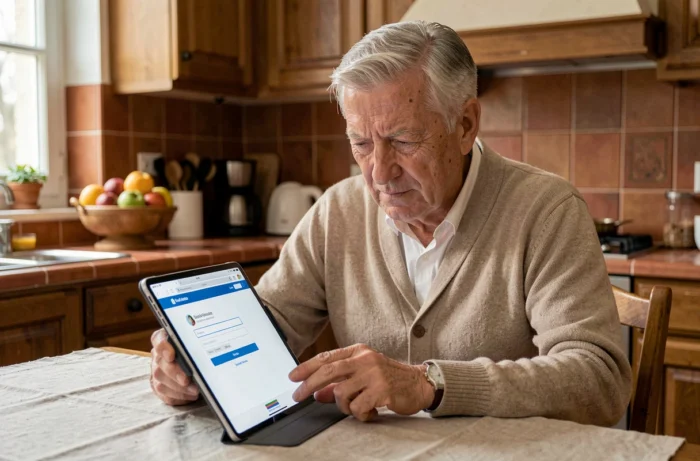
Back up your Numericable emails before it’s too late
You can’t control SFR’s technical decisions about legacy domains. The only way to ensure you keep your archives is to save a local copy or transfer them to another inbox.
Two practical backup methods
The first option is to use an email client such as Thunderbird or Outlook. Set up the account using IMAP and SFR’s server settings (imap.sfr.fr, port 993, SSL). Once it has synced, move the messages to a local folder on your computer.
The second option is to set up automatic forwarding in your SFR webmail settings to send messages to a long-term email address. Each incoming email is then copied to your new inbox in real time. You no longer need to log in to Numericable webmail to receive your messages.
The two methods complement each other: automatic forwarding handles future emails, while IMAP synchronization lets you retrieve the history already stored on the server.
An email address tied to a former internet provider shouldn’t remain the hub of your digital life. While you still have access, take the opportunity to move your contacts and account registrations to an independent address. When SFR decides to close the @numericable.fr domain, users who planned ahead will have nothing to lose.