
Your first day in La Poste uniform is approaching, and a colleague has told you, “Remember to order through my La Poste clothing portal.” Behind this name is an online ordering platform reserved for group employees. It uses a points system, a catalogue filtered by job role, and specific ordering periods. Here’s how to find your way around without wasting time.
Job profile and filtered catalogue: what determines your orders
Before you even browse the catalogue, one detail deserves your attention: the items displayed depend on the job profile linked to your account. A postal carrier won’t see the same items as a counter clerk or a sorting agent.
This filter is applied automatically based on information provided by Human Resources. If you’ve just started your role, check that your profile matches your actual assignment. Discrepancies can occur, especially after an internal transfer or a change of office.
Report any profile discrepancy to your HR contact before placing an order. Ordering from the wrong catalogue means receiving unusable clothing and wasting points.
For example, an employee working outdoors on deliveries will have access to parkas, reinforced trousers and walking shoes, while someone working in a post office will find polos, shirts and lightweight jackets. The main supplier is Armor Lux, the group’s long-standing partner for workwear. To access my La Poste clothing portal, use the intranet or the HR credentials provided when you joined.

Points allowance in my clothing portal: how the credit works
The platform doesn’t use money. Each employee receives an annual allowance in points. These points represent your clothing budget for the current period.
The number of points allocated varies according to several criteria:
- Your position and job (an employee exposed to bad weather receives more than a desk-based employee)
- Your contract type (the rules differ for permanent, fixed-term and specific contracts)
- Your length of service with the group, which may affect your available allowance
Each item in the catalogue has a points cost. A parka costs more than a polo, naturally. Your points are limited, and each order uses them up permanently.
Unused points carried over
Didn’t spend all your points this year? Carry-over rules vary by period. Some unused points may be carried over, while others may not. Check the platform’s help section or ask your clothing contact which rules apply to your allowance.
A useful tip: make a list of what you actually need before opening the catalogue. New employees tend to order too many lightweight items and not enough technical clothing, or vice versa. Thinking about a typical workweek can help you allocate your points wisely.
Ordering periods and catalogue availability
My La Poste clothing portal isn’t open for orders all the time. The catalogue opens during set periods, usually announced by email or on the intranet.
If you miss the ordering window, you’ll have to wait until it opens again, which may be several months later. Notifications are sent to your work email. Turn them on as soon as you first log in so you don’t miss them.
La Poste uniform items out of stock
Even during an allowance period, some sizes or items may be out of stock. The most popular items sell out quickly, especially at the start of a campaign. Order as soon as the period opens to improve your chances.
If an item is unavailable, the platform doesn’t always offer an automatic alternative. You’ll need to check for restocks or adjust your selection.
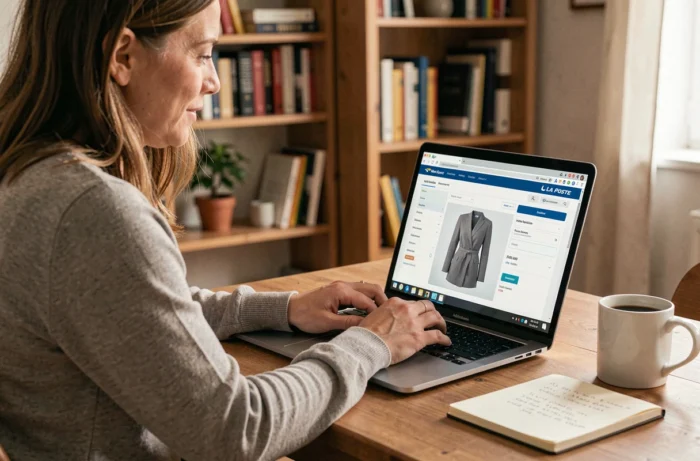
Choosing your size and handling order errors
The size guide on the platform is your best ally. Armor Lux fits may differ from the clothes you usually wear. An L in Armor Lux won’t necessarily match an L from another brand.
Take your measurements with a tape measure before ordering. The guide shows the corresponding chest, waist and leg measurements. If you’re between two sizes, choose the larger one: workwear that’s too tight can quickly become uncomfortable during a delivery round lasting several hours.
Returns and exchanges after delivery
Size mistakes happen, even when you’re careful. Returns are handled through the platform. You must report the issue within the timeframe specified when you placed your order.
- Keep the original packaging until you’ve tried on every item
- Make a note of the order number shown in your online order history
- Contact the service listed in the help section if the return option doesn’t appear in your account
An exchange doesn’t earn you extra points; it simply replaces the item with the correct size, subject to availability.
Logging in and securing your La Poste employee account
You can access the platform through the group intranet or directly using your HR credentials. Your username is usually your employee ID number. Your password is the one provided by Human Resources when you started your role.
Confirm your delivery address the first time you log in. Depending on your department, orders may be delivered to your assigned office or to your home. Check this information before confirming anything.
If your account is locked or you’ve forgotten your password, you’ll need to reset it through HR rather than using a standard “forgot password” link. Allow time for the request to be processed before you can access your account again.
My La Poste clothing portal is easy to use once you know the basics. Remember three things: check your job profile, order as soon as the ordering period opens, and take your measurements before choosing a size. The rest will come with practice.